

“Where did we discuss that?”
A customer asks a question. Your CSM searches meeting notes, internal messages, documentation, and tickets before they can respond.
The answer exists. Finding it is the work.AI-POWERED CUSTOMER SUCCESS WORKFLOWS
The notes are in one tool. Account context is in another. Your CSM is still piecing together what to do next.
Arriba MRR designs and implements AI-powered workflows that connect the context and prepare the follow-through, ready for your team to review.
For growing B2B SaaS teams. Built around the way you work.


 Follow-up preparedFor review
“Here’s what we agreed, the answer to your setup question, and the next steps for your team.”
Your tools are the starting point.
HubSpotGmailNotionExample tools, not partner endorsements. Connections are confirmed during scoping.
DOES THIS SOUND LIKE YOUR DAY?
As self-serve customers become larger, sales-assisted accounts, the handoffs and follow-through get more involved.
A customer asks a question. Your CSM searches meeting notes, internal messages, documentation, and tickets before they can respond.
The answer exists. Finding it is the work.After every call, someone rewrites a recap, copies actions into the CRM, and chases the same commitments across tools.
Good conversations create another admin queue.Sales context, product activity, and customer goals sit in different places. Each new stakeholder means rebuilding the picture.
More complex accounts need shared context.MAKE THE NEXT STEP EASIER
Start with a repeatable piece of work. Connect the information it needs, define the output, and keep a clear review step.
Bring meeting notes, account context, and approved knowledge together to prepare a follow-up draft with commitments and unanswered questions.
A source-linked recap, suggested actions and owners, and a follow-up draft ready to check.
Missing information? Flag it for the CSM instead of filling in the gaps.
Your systems. Your rules. A defined point of review.
These examples show potential workflows. Data access, supported actions, permissions, and acceptance criteria are agreed before implementation.

DESIGNED AROUND THE PEOPLE DOING THE WORK
Customer Success takes judgment: understanding the customer, asking the right question, and deciding what happens next.
Arriba MRR focuses on the searching, preparation, and repeat steps around that work. AI helps synthesize and draft. Your team keeps ownership of customer conversations and approvals.
Designed with CS experience.
Tested against your actual workflow.
A PRACTICAL WAY TO START
We’ll discuss your workflow, systems, priorities, and how much support you need during the discovery call.
Turn a specific operational bottleneck into a workflow your team can use.
Keep an implemented workflow useful as your tools and ways of working evolve.
Scope, timing, and fees are agreed before work begins. Software subscriptions and AI usage are clarified in the proposal.
FROM FRICTION TO SOMETHING USEFUL
Start focused. Give the team a clear way to use, review, and take ownership of the work.
Show a recent example. We map the searches, handoffs, and repeated steps, then agree what’s worth improving.
Connect approved sources, configure the workflow, and test outputs with your team against agreed examples.
Agree how to review outputs, handle exceptions, and measure usefulness. Hand over the setup or add ongoing care.

MEET THE FOUNDER
I’m Diego, founder of Arriba MRR. As a Customer Success Manager, I’ve managed customer relationships ranging from SMBs to enterprise organizations.
That experience has given me a practical understanding of CS operations: how customer context gets lost between tools, where handoffs stall, and which repeat tasks get in the way of customer work.
Arriba MRR brings that perspective to AI-powered workflow design—starting with how your team works and building toward clearer preparation and follow-through.
Customer-facing experience.
A practical approach to CS operations.
CUSTOMER SUCCESS / FIELD NOTES
Explore five guides on discovery, value, outreach, business reviews, and cross-team collaboration.
Explore the Field Notes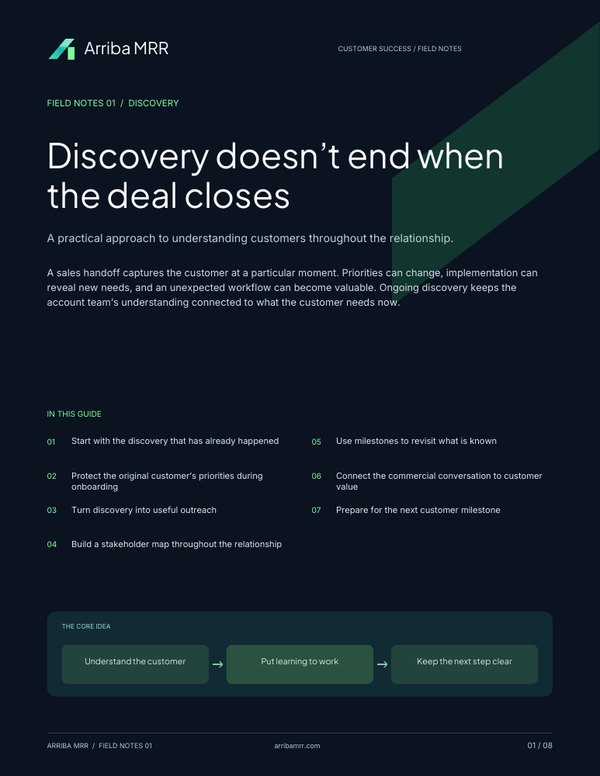
BEFORE WE TALK
It can be. As customer relationships become more sales-assisted, your team may need to bring sales context, product activity, and customer commitments together. We’ll look for one repeatable workflow where that information could support a clearer next step.
We start with your actual stack: CRM, meeting notes, email, internal communications, support, and knowledge tools. The icons on this page are examples. We confirm the available connections, supported actions, plan requirements, and permissions before agreeing a build.
Your team continues to own its customer relationships. The service focuses on designing and implementing the workflows around that work, such as preparing account context, organizing commitments, and drafting follow-ups for review.
We agree the review and approval steps for each action. A first workflow can stay in draft or recommendation mode, so your team checks the output before a message is sent or a record is updated.
We define approved sources, test examples, and exceptions as part of the scope. A workflow should flag missing or conflicting information for review, with source links where appropriate. Output quality and failure handling are part of testing.
That depends on the workflow, systems involved, and access needed. We’ll discuss the overall scope, timing, and support requirements on the discovery call, then agree the fees before work begins.
Ongoing care is optional. We can agree a documented handover to your team, or scope a monthly retainer for monitoring, maintenance, and defined refinements.
BRING ONE WORKFLOW THAT’S GETTING IN THE WAY
Let’s talk through the process, the tools, and whether there’s a useful place to start.
A conversation about your workflow and fit.
No obligation to engage.
